Installation
Heirloom is a Paper plugin for modern Minecraft 1.21 servers. Install the core plugin first, then add optional addons such as Distillery and Cafe.
Install Layout
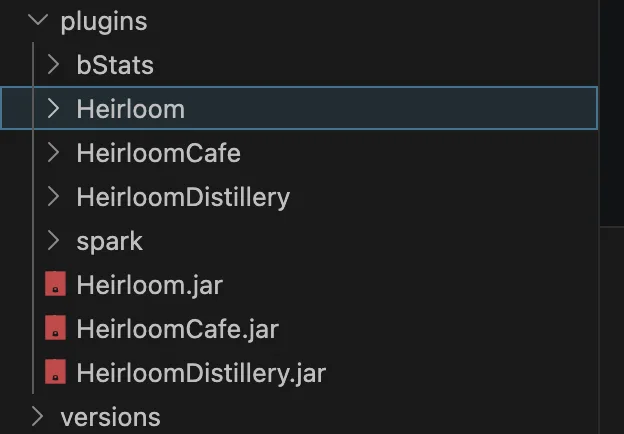
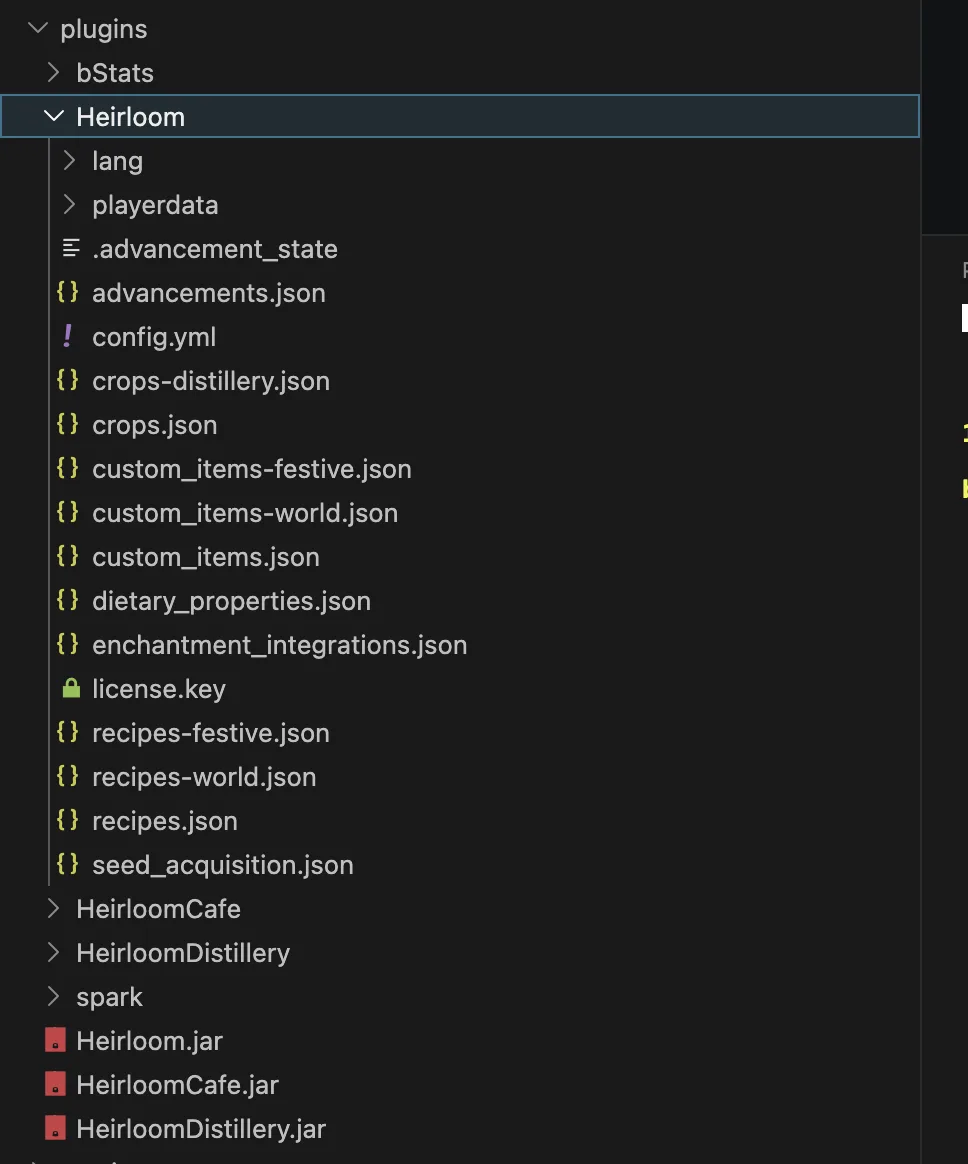
Requirements
- Paper-compatible server for Minecraft 1.21.
- Java version matching the server build you run.
- Heirloom core jar.
- Optional: HeirloomDistillery and HeirloomCafe addon jars.
- Optional visual plugins: Nexo or ItemsAdder.
- Optional protection plugins: WorldGuard, Towny, GriefPrevention, Lands, or similar claim plugins.
Install Core
- Stop the server.
- Put the Heirloom jar in
plugins/. - Start the server once.
- Confirm
plugins/Heirloom/was created. - Join and run
/hl help.
Install Addons
Distillery and Cafe depend on Heirloom. Put addon jars in plugins/ after core is installed, then restart.
Use:
/hld help
/hlc help
First Files To Review
plugins/Heirloom/config.ymlplugins/Heirloom/custom_items.jsonplugins/Heirloom/recipes.jsonplugins/Heirloom/crops.jsonplugins/Heirloom/dietary_properties.jsonplugins/Heirloom/seed_acquisition.json
Verify The Install
Run /hl debug test from an admin account. It checks item registration, recipe matching, crop registration, protection hooks, EcoEnchants detection, and runtime GUI loading.
Tip
If you use a claim plugin, test planting, harvesting, and station use in both allowed and denied regions before opening the server to players.